According to WebAIM‘s WCAG 2 Checklist (Where WCAG refers to Web Content Accessibility Guidelines, which are “…the most widely-accepted set of recommendations, and were developed over several years of collaborative involvement by a panel of experts and interested individuals,” according to WebAIM), the four main guiding principles of accessibility in WCAG 2.0 are:
- Perceivability
- Operability
- Understandability
- Robustness
Why do they matter?
People cannot use web content which they cannot access. Sounds straight-forward, right? Unfortunately, accessibility of content isn’t always enabled with all of the people using it in mind, and for many struggling with disabilities – trying to access content on a site which is not designed with any accessibility features included can be as challenging as going through an obstacle course.

According to WebAIM, some potential motivators which incentivize organizations to create accessible web content, include:
- To improve the lives of people with disabilities (human-centered motivations)
- To capitalize on the a wider audience or consumer base (marketing or economic-centered motivations)
- To avoid lawsuits and/or bad press (public relations and punishment-centered motivations)”
One main reason content isn’t always enabled with users in mind, is that developers for organizations are sometimes incentivized to enable content accessibility with a “Good enough for now” mindset. This can occur when developers focus on technical specifications, simply to conform with the latest official WCAG guidelines in order to avoid a lawsuit or bad press as it relates to not assisting to improve the lives of people with disabilities.
While all of the motivators mentioned can be good reasons for an organization to build web content that is accessible, one principle will always hold true for an organization’s web development team, and that is that “…web accessibility is most easily achieved when people are at the center of the process. Even those who are simply trying to avoid lawsuits [(as it relates to accounting for people with disabilities)] will sooner or later realize that the needs of the target audience…must be carefully considered and addressed.” I will begin to attempt to do just that, starting with a focus on Perceivability – the first of the four main guiding principles of accessibility mentioned above.
What is Perceivability?
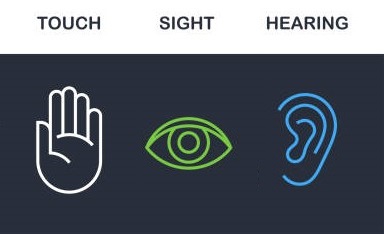
“All forms of communication require input into the brain via at least one of the senses of the body. The Internet is a medium of communication providing access to knowledge and processes through electronic means. The most relevant senses in this context are sight, hearing, and touch.” In the context of web design, one can deduce that perceivability is the user’s interpretation of what is being communicated to him/her during his/her user experience, through his/her use of these senses.
Why does it matter?
Potential Connected Experience Benefits
In order to observe and/or appreciate when the guiding principles of accessibility are at work, I will provide a comparison between travel guide sites Denver.org and Discoverdurham.com in today’s post and in the posts to follow in next couple of weeks.
As it pertains to today’s focus of Perceivability, the information on the Denver.org site is perceivable since it allows for several forms of communication to take place, using a familiar accessibility icon (as shown in the diagram, below) that sticks to the right-hand side of the screen upon scrolling, which makes the site’s accessibility features easy to access and identify.

The accessibility options provide Denver.org site visitors with disabilities with a level of site info accessibility that is similar to the level of accessibility for site visitors without disabilities, by enabling a visitor to make data access adjustments to account for sight, hearing, and/or touch disabilities. The accessibility tools provided allow each of these senses to be transformed into human interaction through keyboard accessibility. Upon activation, the accessibility icon opens a menu of a variety of accessibility tools, including a player which allows website visitors to listen to the content of a web page that is read aloud, and a visual toolkit which provides assistive options.
The Denver.org site’s assistive options include: a big cursor, a reading guide, a horizontal vision emphasizer that follows your mouse, contrast options for people with color blindness, highlighting option for headings / links and/or buttons, text size options, text spacing options, font options, and the option to display alternate text – all of which provide an ability for different types of users to make data access easier to access, identify, and absorb. In contrast, the Discoverdurham.com site does not appear to make any accessibility options readily available at first glance, resulting in content that cannot begin to be perceived by all senses and therefore cannot be fully absorbed or understood by site visitors with disabilities.
In the weeks to follow, I will continue to focus on the set of guiding principles of accessibility which have yet to be discussed in greater detail, covering Operability next week, then Understandability and Robustness the following weeks, in an effort to: further our familiarity with how to put people at the center of the web design process, and better understand the potential customer experience benefits for each one through some example applications.
 Brendan Hukill