To recap, according to WebAIM‘s WCAG 2 Checklist (Where WCAG refers to Web Content Accessibility Guidelines, which are “…the most widely-accepted set of recommendations, and were developed over several years of collaborative involvement by a panel of experts and interested individuals,” according to WebAIM), the four main guiding principles of accessibility in WCAG 2.0 are:
- Perceivability
- Operability
- Understandability
- Robustness
What is Understandability?
In the context of web accessibility, understandability refers to the means with which users are able to…you guessed it – understand web content. That said, in order for web content to be understood in the context of web accessibility, WebAIM breaks understandability into three components, including: language, supplemental representation, and functionality.
According to WebAIM, it is usually best for web content authors to err on the side of caution when deciding what words or wording to use, by using language that is simple and concise, since web content authors do not always know the exact characteristics of their audience and therefore cannot assume that their target audience will always be familiar with any subject matter-specific terms, or phrases.

In addition to using simple language, web content authors can increase the understandability of their site content by providing supplemental and/or background information for any content that readers may not be familiar with.

The functionality of web content – including a site’s navigation and any other forms of interaction, must also be understandable. Delivering understandable site functionality starts with making sure that all of a site’s functional components are consistent and predictable throughout the context of a site.

A site’s functionality can help to avoid any potential counteractions of attempting to increase understandability with a greater level of detail in the form of background information, whilst also attempting to do so by being more concise. For example, providing access to background information using information icons allows site visitors who are unfamiliar with the subject matter of a site’s content, to access additional details to further their subject matter knowledge related to a site’s content on an as-needed basis and in an organized fashion, while also allowing site visitors who are already familiar with the subject matter of a site’s content, to focus on a site’s core content without being distracted by information which they already know.
Why does it matter?
Let’s say your web development team has worked long and hard to make your organization’s site perceivable and operable for all kinds of users of all abilities. If it is understandable to none of them, then it is usable to none of them, and all of your web development team’s efforts to making your organization’s site perceivable and operable have been rendered useless. Therefore, a site’s understandability, from the user’s point of view, can be just as big of a barrier to accessibility as any of the more technical issues which your web development team may be spending the majority of its time focusing on.

Potential Connected Experience Benefits
Outside of reducing web development costs involved in potentially having to start the web design process from scratch, which is an internal benefit to ensuring that a site’s content is understandable – ahead of time, there are several connected experience benefits which organizations can provide their end-users with by investing in having their interfaces designed with optimal understandability in mind, including:
- Improved user experience, as a result of:
- Increase in site content retention
- Increased participation in guided site / “Self-help” tours
- Improved trusted resource communication
- Increase in overall customer satisfaction, as a result of:
- Increase in site CTA (call to action) opt-in benefits
- Increase in site-driven loyalty rewards program value
- Increase in cloud-service delivery value
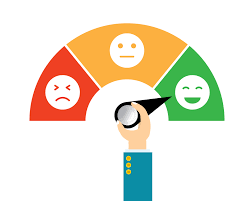
Contrary to some other customer satisfaction metrics, developing a site which provides an optimal level of understandability is one which an organization can test and measure with a high degree of certainty once the web focus shifts away from what is technically possible to what is understandable.
Next week, I will provide a quick overview on Robustness – the last of four guiding principles of accessibility, as defined by WebAIM, in an effort to: further our familiarity with how to put people at the center of the web design process, and better understand the potential customer experience benefits for each one through some example applications.
 Brendan Hukill